1.8 redesigns the three screens you use most: Drives, Charges and Idles. Clearer, more visual and with more detail.
Drives, redesigned
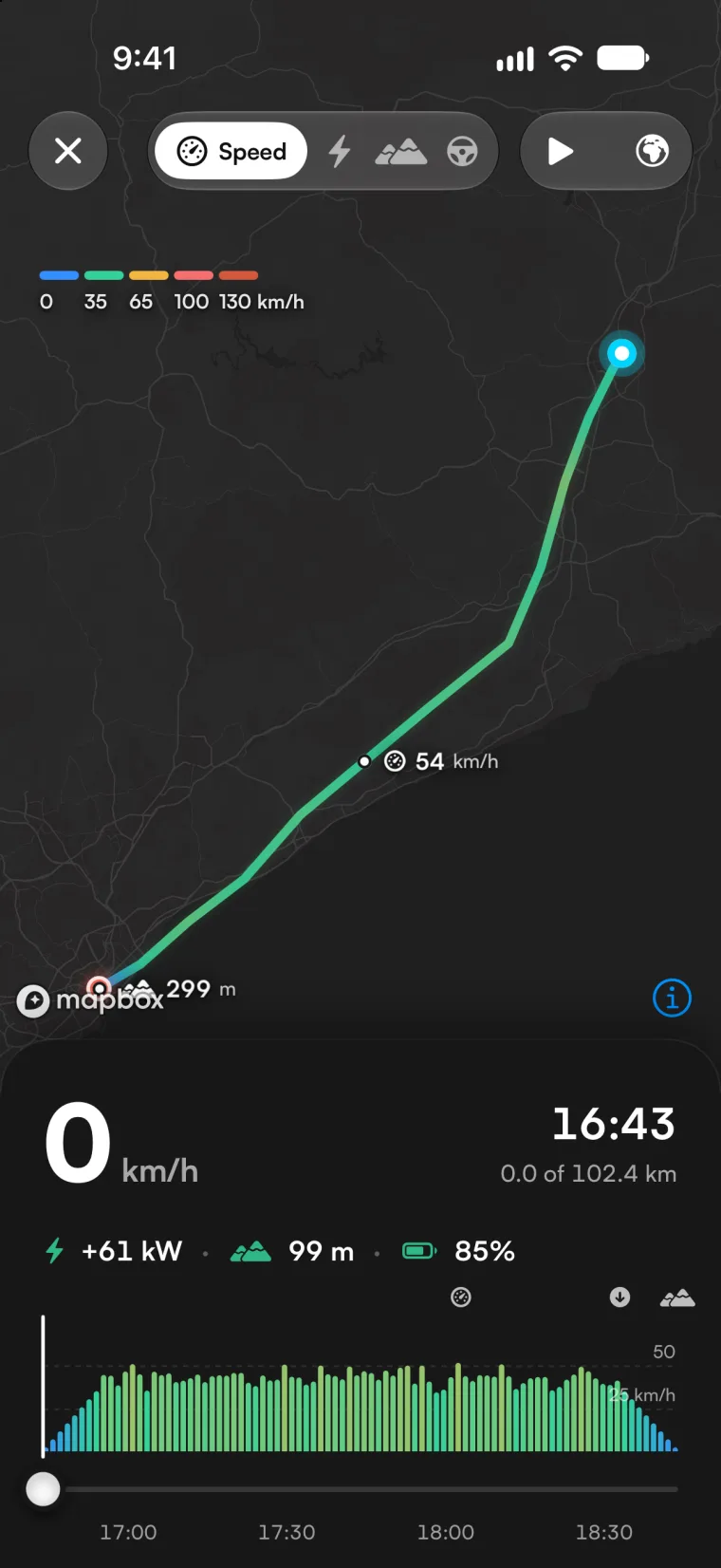
- When you open a drive, the route draws itself on the map again while the distance, the time and the battery count up.
- Minute by minute: speed, power and regen, elevation and battery in lanes on one timeline. Drag your finger and every lane and the map follow the car.
- The drive's moments, marked on the map: top speed, highest point, regen peak and longest stop.
- Your driving score, explained through its four factors.
- New data: consumption by road type, hard braking and acceleration, cost per 100 km (or 100 miles), moving and stopped time, and average outside temperature.
- The full-screen player, rebuilt: the route paints every data point the car sends, and the chart is the bar you move through the drive with.
- The list shows each drive's map and a chart of the last week.
Charges, redesigned
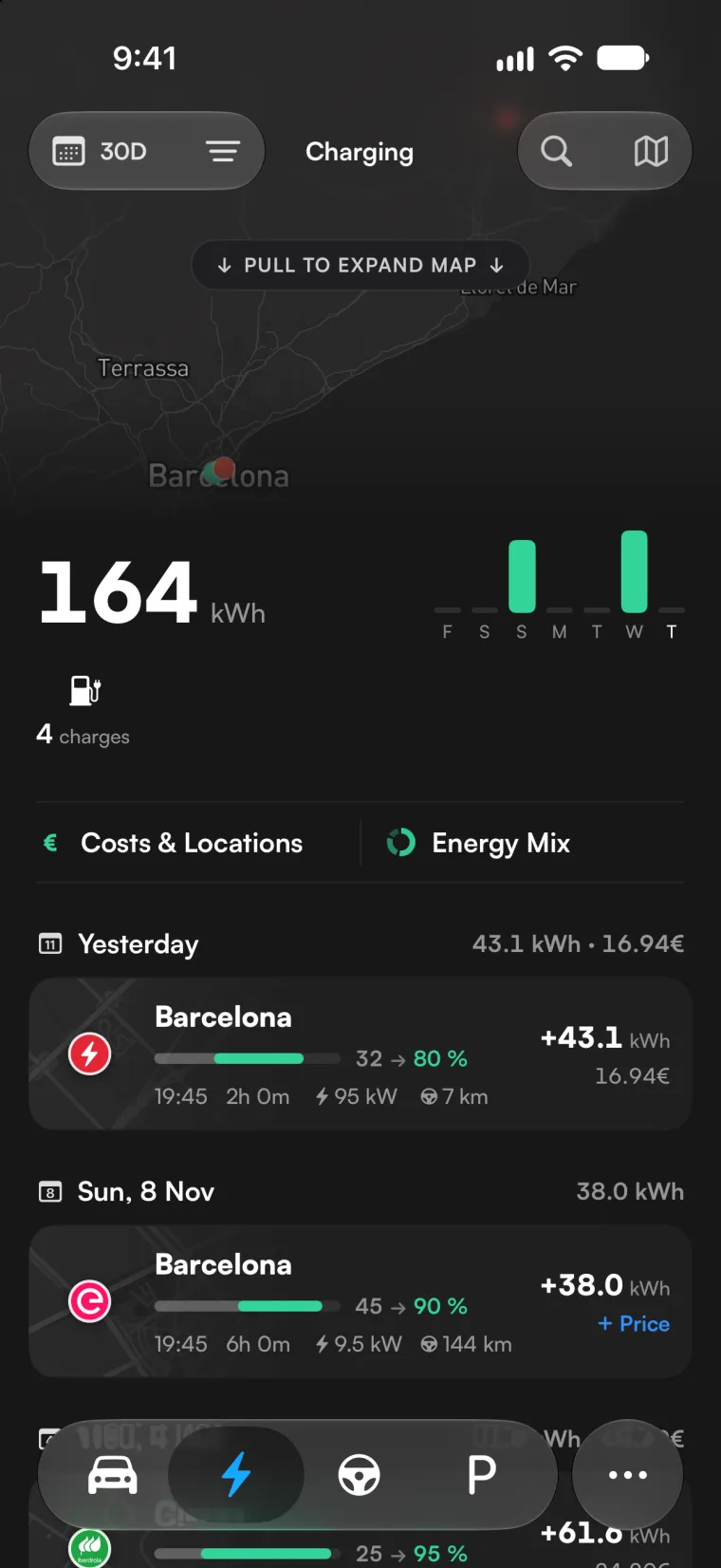
- The list: each charge with the battery it filled, the time, the duration, the power and the distance since the previous charge, and at the top the period's kWh compared with the one before.
- The detail: the kWh, the cost and the price per kWh, the battery as cells that light up, the range gained, the power and battery curve, and what the same distance would have cost in fuel.
- Costs & Locations: a map of your spending and cards by kind of place (home, Superchargers, work and other).
Idles, redesigned
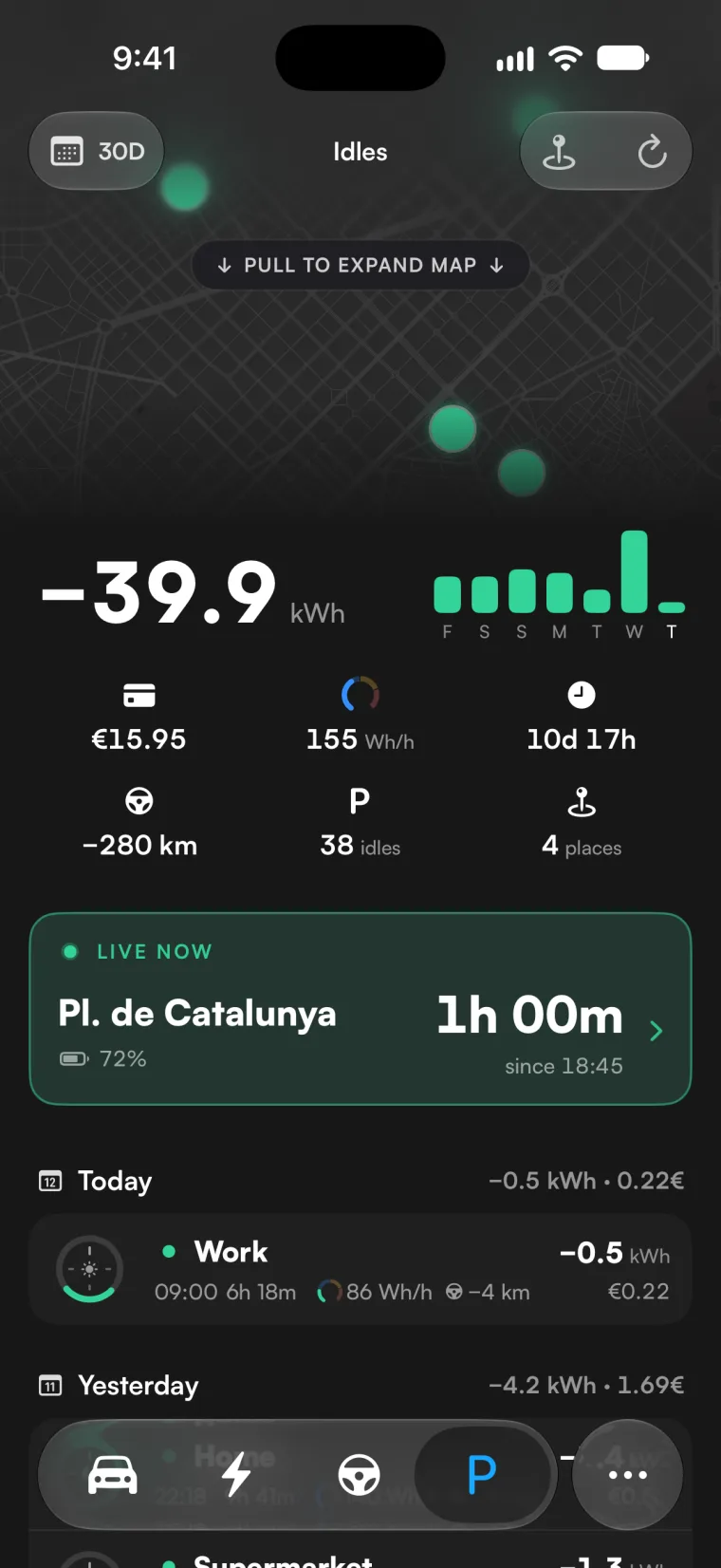
- The list: each idle with a 24-hour clock that marks when the car was parked, and what it lost.
- The detail: how the battery went down and what the car was doing (Sentry, asleep) while it was parked.
- The live view: the car on a full-screen map, how long it has been parked and the battery it has lost since.
Tyres and maintenance, connected
- A new block on the Tyres page to log a swap, for example when you put your winter tyres on.
- Rotation and replacement count on the set on the car: a swap starts them from zero, in the maintenance reminders too.
- Each set keeps its own km: the one you take off doesn't add the other's, and when it goes back on it carries on where it left off.
- Log four new tyres in Maintenance and a new set starts; the old one moves to Previous sets with its km and consumption.
- Charts over time mark every tyre change.
Other improvements
- Wattly news can carry a picture and a button with a link.
- If Tesla doesn't accept Wattly's connection, because the car already has three apps connected or the virtual key is gone, we tell you on the Dashboard and in Settings, with how to fix it.
- Records has a new look.
- If you're just starting: a step-by-step setup while your car connects, and you can now sign out or switch Tesla accounts during onboarding.
Fixes
- Your car's name no longer goes back to an old one.
- The distance chart's average only counts complete periods.
- Missing translations added.
